AI Tools & Credit Usage
SignGuy AI uses AI in multiple places: visual generation, writing tools, product description generation, pricing guidance, historical invoice analysis, and assistant workflows.
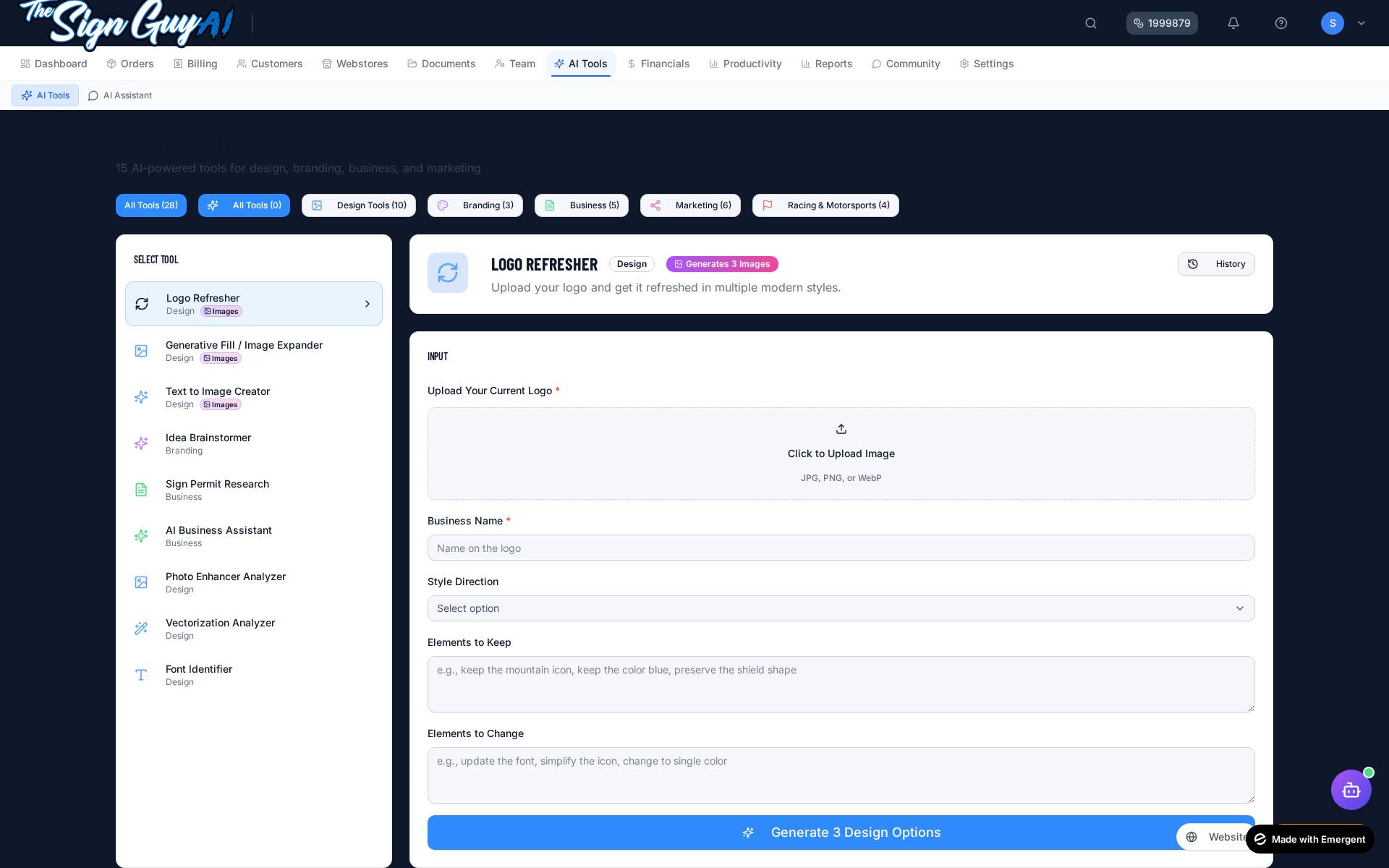
How to Access AI Tools
- 1Click AI Tools in the main navigation
- 2Browse categories or search for a specific tool
- 3Click on a tool to open its interface
- 4Enter your prompt or upload required files
- 5Click Generate and wait for results
How AI Credits Work
1
Credit
Low compute (text)
2
Credits
Medium compute
3
Credits
High compute (images)
- Monthly credits are used before purchased credits
- Credits are deducted only after successful AI execution
- Confirmation popup shows cost and balance before running
- Purchase more credits anytime from Billing settings
What's new in AI Tools
- AI Sign / Banner Designer + Race Team Branding Kit now also produce a written design brief (direction, colors, readability, production notes) alongside the images — no extra credit cost.
- Customer Branding Profile integration — open a customer → Branding tab → click "Create Brand Kit / Logo Concepts / Brainstorm Ideas" and the AI tool opens with that customer pre-attached. Generated outputs save back to their profile automatically.
- Completed Order Post Creator merged the old "Social Order Post" tool — pick "With Image" or "Text Only" mode to choose the workflow.
- Content Calendar Creator now takes a real start date + posting frequency and outputs a day-by-day table you can paste straight into a planner.
- Document Library auto-tagging — when you click "Save to Library" on an AI output, it lands in the right category automatically (logo concept, brand kit, social post, content calendar, blog article, etc.).
- Wording cleanup: AI image tools now clearly say "concept image" — they're a starting point, not print-ready production artwork. The two tools that didn't actually use uploaded images (Logo Refresher, Generative Fill) are hidden until true image-to-image works.
Design Tools
Photo Enhancer Analyzer
Upload a photo and get an enhancement plan + verdict (Approved / Needs Fixing / Not Usable)
Vectorization Analyzer
Check whether an image is a good candidate for vector conversion before sending it to your designer
Font Identifier
Upload an image of text and get the most likely matching fonts
AI Sign Designer
Generates AI sign concept images PLUS a written design brief (direction, colors, readability, production notes)
AI Banner Designer
Generates AI banner concept images PLUS a written design brief (layout, readability, material/finish notes)
Mockup Creator
AI-rendered concept mockups of a described design in real environments. The AI illustrates your description; it does not place the customer's actual artwork.
Vehicle Wrap Mockup Generator
AI-rendered concept mockups of a wrap idea across vehicle types
AI Image Concept Creator
Generate AI concept images from a text description for inspiration or rough creative direction. NOT print-ready production artwork.
Branding
Idea Brainstormer
Generate brand ideas, names, taglines from a brief
Branding Kit Generator
Full brand identity package (palette, type, voice). Saves directly to a customer's Branding Profile when one is attached.
Logo Creator
AI logo concepts. Saves directly to the attached customer's Branding Profile.
Business & Writing
Business Assistant
Ask questions about sign shop operations
Business Copywriter
Generate professional copy for any use
Proposal Writer
Create project proposals and pitches
Review Responder
Draft responses to customer reviews
Email Templates
Generate professional email templates
Marketing & Social
Blog Creator
Write blog posts about your work
Completed Order Post Creator
One tool, two modes: pick "With Image" to attach a photo of the finished work, or "Text Only" for a quick description-based post. Replaces the old separate "Social Order Post" tool.
Social Media Pack Generator
Generate 5–30 numbered post ideas with caption, visual suggestion, platform fit and hashtags. Required: services + pack size; new fields: brand voice, target platforms.
Content Calendar Creator
Builds an actual day-by-day calendar from your start date, frequency and brand voice. Output is a YYYY-MM-DD | Theme | Platform | Idea | CTA table plus a production checklist.
Racing & Motorsports
Race Number Designer
AI-rendered raster concept images of racing numbers. Final cut/print artwork may need vectorization.
Driver Name Plate Generator
AI raster concept images of driver name plates and roof strips
Race Team Branding Kit
AI raster brand-kit concepts PLUS a written racing branding brief (logo direction, number design, colors, sponsor placement, merchandise, production file notes)
AI Throughout the App
AI is also available in these other areas:
- Product Description Generator — Auto-generate descriptions in Products
- AI Pricing Advisor — Get pricing suggestions in the Calculator
- AI Email Composer — Draft emails for invoices/quotes
- Floating Assistant — Get help anywhere in the app
- Invoice Analysis — AI analyzes historical data for pricing insights
Coming Soon: Next-Generation AI Features
Advanced capabilities in development
Generative Fill
AI-powered background replacement and content-aware fill for sign designs. Remove unwanted elements, extend backgrounds, or fill in missing areas intelligently.
Logo Refresher
Upload an old or low-quality logo and get AI-enhanced versions with improved clarity, resolution, and modern styling options while preserving the original design intent.
Advanced Image-to-Image
Transform existing designs into different styles, color schemes, or formats. Convert photos to illustrated styles, change color palettes, or adapt designs for different materials.
Smart Design Variations
Generate multiple design variations from a single concept. Create seasonal versions, different color ways, or size-specific adaptations automatically.
Predictive Pricing Assistant
AI analyzes your historical data and market trends to suggest optimal pricing for quotes, helping you stay competitive while maximizing profitability.
Automated Quote Generation
Describe your project in natural language and get a complete quote draft with itemized pricing, timeline estimates, and professional presentation - all generated by AI.
Want early access? These features are in active development. Founders Edition subscribers will get first access as they roll out throughout 2026.Contact us for beta access opportunities.